Mestni kino Ptuj
  • Spored
  • Vstopnice
  • Programi
  • Za šole
  • O kinu
  • Na spletu
  1. Mestni kino Ptuj
  2. Birma

Filmi

Birma
Novi celovečerec Darka Sinka po filmu Inventura, ki je osvojil vesno za najboljšo režijo. Pripoved o prijateljstvu med tremi najstniki, ki se znajdejo na težki preizkušnji. Ko zemeljski plaz uniči cesto, ki vodi do cerkve, se, da birma ne bi odpadla, vaščani odločijo, da bodo cesto vsaj začasno poskusili popraviti sami. A priprav na slovesnost ne zaznamuje le naravna nesreča – pod cerkvenimi orglami, na katere igra Veronika, kul dekle iz mesta, vaščani odkrijejo zalogo trave. Izkaže se, da so s skrivnostno najdbo povezani prav Mate, Peter in Gaber. Ko se vmeša še policija, se prijateljstvo med fanti znajde na kocki.

Več o tem
En mesec
Sedmi celovečerni igrani film Janeza Burgerja, ki je znan po filmih V leru, Cirkus Fantasticus in nazadnje Opazovanje. Intimna drama spremlja tri like na robu družbe – intelektualko brez službe, nosečo mladenko iz disfunkcionalnega okolja in geja, ki je odraščal kot sirota. Stanovanjska stiska jih prisili v skupno življenje, kjer v napetem, a obenem toplem sobivanju raziskujejo, kaj v času prekarnih razmer in družbenih stisk sploh pomeni družina.
Več o tem
Zverine
Zgodba treh sester, ki morajo po obdobju odtujenosti znova odkriti pomen družine. Najmlajša Ema mora prodati družinsko hišo, pri čemer starejši sestri, s katerima si ni tako blizu, oklevata. Ko srednja sestra Megi zboli za boleznijo, zaradi katere je pred nekaj leti umrla njihova mama, Ema začasno prevzame skrb za nečake, medtem ko je starejša sestra Rubi prezaposlena s svojim brezskrbnim življenjem.
Več o tem
Mila/Marija
Zgodba nas popelje v vas na avstrijskem Koroškem in v leto 1943. 19-letna Mila se skupaj z bratom Hanzijem pridruži partizanom, ki se v zavetju gozdov bojujejo proti nacistom. Mila kmalu prevzame vodenje odporniške enote in se znajde pred odločitvami o življenju in smrti. Ko se po osvoboditvi vrne domov in želi začeti novo življenje, se Mila znova znajde pred vprašanjem odpora ali prilagoditve.
Več o tem
Tartuferije
Črna komedija je postavljena v odmaknjen istrski zaselek, kjer tartufi – bogastvo podzemnega sveta – zameglijo um vaščanov. Ko mojster lova na tartufe ujame največji primerek vseh časov, izbruhne mrzlica pohlepa. To je zgodba o obsedenosti in o dveh mladih, ki se imata rada, ter o vseh drugih, ki se nimajo niti malo.
Več o tem
Kapitanka Nova
Kapitanka Nova
Kapitanka Nova mora odpotovati v preteklost, da bi preprečila uničujočo okoljsko katastrofo. Toda potovanje ima nepredvidljive posledice: spet postane mlada in nihče več je ne jemlje resno. Pomaga ji le najstnik Nas. V napeti pustolovščini morata ubežati zasledovalcem in rešiti planet. LIFFe 2022.
Več o tem
Milosti polni
Milosti polni
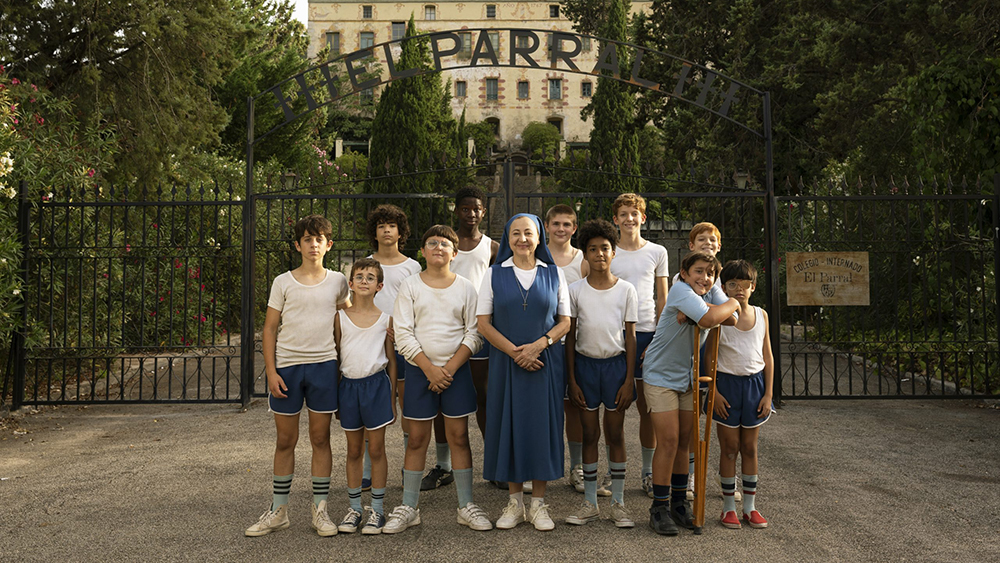
Nekateri fantje morajo čez poletje ostati v internatu, saj nimajo domov, kamor bi se lahko vrnili. Da jim ni dolgčas, si izmislijo kup predrznih potegavščin. Ukroti jih šele nuna, ki ustanovi nogometno ekipo ... Navdihujoč družinski film o navihani enajsterici, poln humorja, topline in srčne predanosti.
Več o tem
Božičkov vajenec in čarobna snežinka
V drugem delu zgodbe o mali siroti z velikim srcem, ki je bil izbran za Božičkovega naslednika, mora zdaj že sedemletni Nikolaj samostojno prevzeti delo, upokojeni Božiček pa se bo z gospo Božičkovo odpravil na počitnice. A božič je pred vrati in Nikolaj ni prepričan, da bo delu kos. Na pomoč je treba poklicati vse upokojene Božičke sveta in skupaj ugotovijo, da je Nikolaja napadel odraslitis: bolezen, ki jo dobijo otroci, ki želijo prehitro odrasti …
Več o tem
Temni pokrov sveta
Temni pokrov sveta
Izjemen letalec, fotograf in alpinist Matevž Lenarčič zbira delce črnega ogljika, ki je drugi največji povzročitelj globalnega segrevanja. Z ultralahkim letalom je že trikrat obkrožil svet, preletel severni tečaj in najvišjo goro sveta, pristal na Antarktiki, nad oceanom pa letel šestnajst ur brez postanka.
Več o tem
Binti
Binti
12-letna Binti se je rodila v Kongu, živi pa v Belgiji. Čeprav nima dokumentov, želi živeti normalno. Sanja, da bo postala slavna vlogerka. Spoprijatelji se z 11-letnim Eliasom, ki vodi svoj klub »save-the-okapi« … Kljub resnim temam zabaven film, poln barv, humorja, prijateljstva in ljubezni.
Več o tem
Plimovanje
Plimovanje
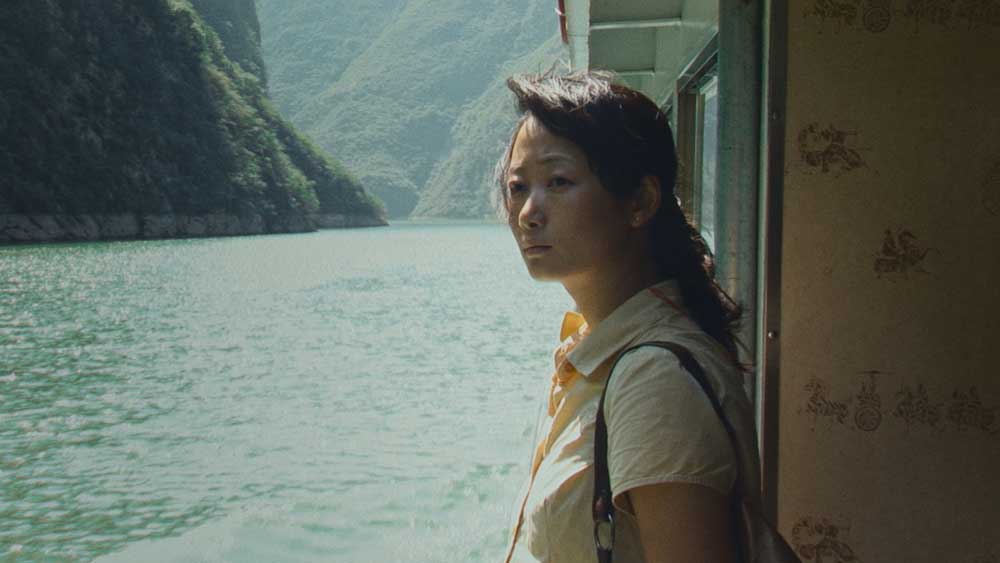
Jia Zhangke, vodilni kronist sodobne Kitajske, se poda na kalejdoskopsko potovanje skozi čas in prostor, da bi iz gradiva, ki ga je snemal več kot dve desetletji, sestavil poetičen in globoko ganljiv portret spreminjajočega se sveta ter dveh ljudi, ujetih v njegove nepredvidljive tokove.
Več o tem
Prvi sneg
Prvi sneg
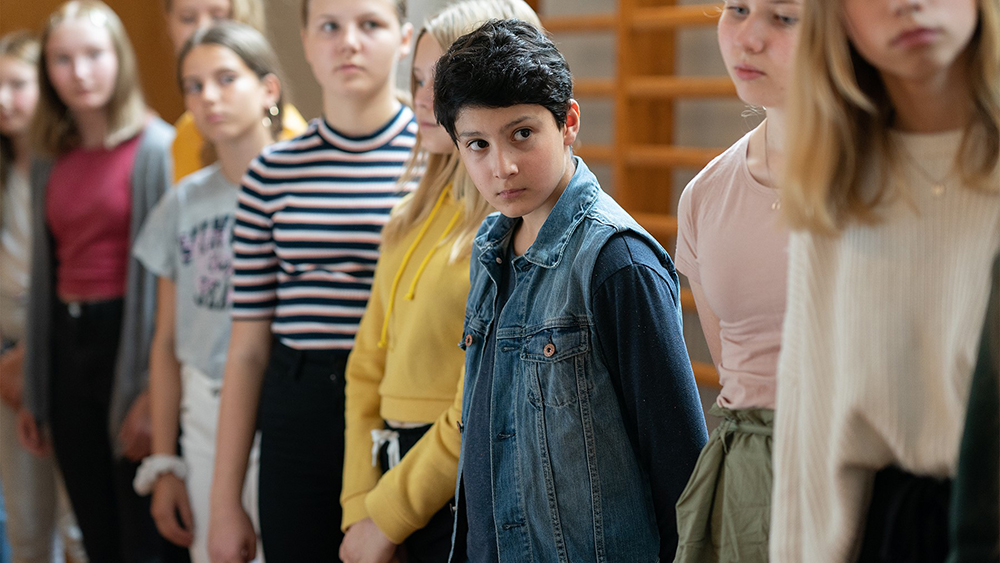
Prvi šolski dnevi, pustolovščine z najboljšim prijateljem, druženja s sosedi, zeleni finski gozdovi in kako osvojiti dekle – vse to sestavlja vsakdan 13-letnega Ramina, medtem ko z družino čaka na odobritev azila. Tiho negotovost odganjajo družinski objemi, spodbudni pogledi in srčni nasmehi.
Več o tem
« Nazaj 1 2 … 34 35 36 37 38 … 113 114 Naprej »
Mestni kino Ptuj

Mestni kino Ptuj
Cvetkov trg 1
2250 Ptuj

+386 (0)31 399-500

nina.milosic@cid.si

  • Spored
  • Vstopnice
  • Programi
  • Za šole
  • O kinu
  • Na spletu

Sledi nam na

Upravitelj:

Javni zavod za mladino, šport in turizem Ptuj

Mestni trg 4
2250 Ptuj

Kino je član:

Europa Cinemas
Art kino mreža Slovenije

Dejavnost omogočajo:

Mestna občina Ptuj
Urad RS za mladino
Ministrstvo za kulturo
Slovenski filmski center

Podporniki:

Center interesnih dejavnosti Ptuj
Intera
Discover Ptuj
Prostor za vaš oglas

Dostopnost

Načini dostopnosti

Varen način za epilepsijo
Blaži barvo in odstrani mežike
This mode enables people with epilepsy to use the website safely by eliminating the risk of seizures that result from flashing or blinking animations and risky color combinations.
Način za slabovidne
Izboljša vizualno podobo spletne strani
This mode adjusts the website for the convenience of users with visual impairments such as Degrading Eyesight, Tunnel Vision, Cataract, Glaucoma, and others.
Način kognitivnih motenj
Pomaga pri osredotočanju na določeno vsebino
This mode provides different assistive options to help users with cognitive impairments such as Dyslexia, Autism, CVA, and others, to focus on the essential elements of the website more easily.
ADHD prijazen način
Zmanjša motnje in izboljša vsebino osredotočenosti
This mode helps users with ADHD and Neurodevelopmental disorders to read, browse, and focus on the main website elements more easily while significantly reducing distractions.
Način slepote
Omogoča uporabo spletnega mesta z bralnikom zaslona
This mode configures the website to be compatible with screen-readers such as JAWS, NVDA, VoiceOver, and TalkBack. A screen-reader is software for blind users that is installed on a computer and smartphone, and websites must be compatible with it.

Spletni slovar

    Berljiva izkušnja

    Merjenje vsebine
    Privzeto
    Povečevalnik besedila
    Berljiva pisava
    Prijazno do disleksije
    Označite naslove
    Označite povezave
    Velikost pisave
    Privzeto
    Višina vrstice
    Privzeto
    Razmik med črkami
    Privzeto
    Levo poravnano
    Sredinsko poravnano
    Desno poravnano

    Vizualno prijetna izkušnja

    Temni kontrast
    Svetlobni kontrast
    Enobarvno
    Visok kontrast
    Visoka nasičenost
    Nizka nasičenost
    Prilagodite barve besedila
    Prilagodite barve naslova
    Prilagodite barve ozadja

    Enostavna orientacija

    Izključi zvoke
    Skrij slike
    Virtualna tipkovnica
    Bralni vodnik
    Ustavi animacije
    Bralna maska
    Označite Hover
    Označite Fokus
    Velik temni kazalec
    Velik svetlobni kazalec
    Kognitivno branje
    Navigacijske tipke
    Glasovna navigacija

    Mestni kino Ptuj

    Accessibility Statement

    • www.kinoptuj.si
    • November 15, 2026

    Compliance status

    We firmly believe that the internet should be available and accessible to anyone, and are committed to providing a website that is accessible to the widest possible audience, regardless of circumstance and ability.

    To fulfill this, we aim to adhere as strictly as possible to the World Wide Web Consortium’s (W3C) Web Content Accessibility Guidelines 2.1 (WCAG 2.1) at the AA level. These guidelines explain how to make web content accessible to people with a wide array of disabilities. Complying with those guidelines helps us ensure that the website is accessible to all people: blind people, people with motor impairments, visual impairment, cognitive disabilities, and more.

    This website utilizes various technologies that are meant to make it as accessible as possible at all times. We utilize an accessibility interface that allows persons with specific disabilities to adjust the website’s UI (user interface) and design it to their personal needs.

    Additionally, the website utilizes an AI-based application that runs in the background and optimizes its accessibility level constantly. This application remediates the website’s HTML, adapts Its functionality and behavior for screen-readers used by the blind users, and for keyboard functions used by individuals with motor impairments.

    If you’ve found a malfunction or have ideas for improvement, we’ll be happy to hear from you. You can reach out to the website’s operators by using the following email

    Screen-reader and keyboard navigation

    Our website implements the ARIA attributes (Accessible Rich Internet Applications) technique, alongside various different behavioral changes, to ensure blind users visiting with screen-readers are able to read, comprehend, and enjoy the website’s functions. As soon as a user with a screen-reader enters your site, they immediately receive a prompt to enter the Screen-Reader Profile so they can browse and operate your site effectively. Here’s how our website covers some of the most important screen-reader requirements, alongside console screenshots of code examples:

    1. Screen-reader optimization: we run a background process that learns the website’s components from top to bottom, to ensure ongoing compliance even when updating the website. In this process, we provide screen-readers with meaningful data using the ARIA set of attributes. For example, we provide accurate form labels; descriptions for actionable icons (social media icons, search icons, cart icons, etc.); validation guidance for form inputs; element roles such as buttons, menus, modal dialogues (popups), and others. Additionally, the background process scans all the website’s images and provides an accurate and meaningful image-object-recognition-based description as an ALT (alternate text) tag for images that are not described. It will also extract texts that are embedded within the image, using an OCR (optical character recognition) technology. To turn on screen-reader adjustments at any time, users need only to press the Alt+1 keyboard combination. Screen-reader users also get automatic announcements to turn the Screen-reader mode on as soon as they enter the website.

      These adjustments are compatible with all popular screen readers, including JAWS and NVDA.

    2. Keyboard navigation optimization: The background process also adjusts the website’s HTML, and adds various behaviors using JavaScript code to make the website operable by the keyboard. This includes the ability to navigate the website using the Tab and Shift+Tab keys, operate dropdowns with the arrow keys, close them with Esc, trigger buttons and links using the Enter key, navigate between radio and checkbox elements using the arrow keys, and fill them in with the Spacebar or Enter key.Additionally, keyboard users will find quick-navigation and content-skip menus, available at any time by clicking Alt+1, or as the first elements of the site while navigating with the keyboard. The background process also handles triggered popups by moving the keyboard focus towards them as soon as they appear, and not allow the focus drift outside it.

      Users can also use shortcuts such as “M” (menus), “H” (headings), “F” (forms), “B” (buttons), and “G” (graphics) to jump to specific elements.

    Disability profiles supported in our website

    • Epilepsy Safe Mode: this profile enables people with epilepsy to use the website safely by eliminating the risk of seizures that result from flashing or blinking animations and risky color combinations.
    • Visually Impaired Mode: this mode adjusts the website for the convenience of users with visual impairments such as Degrading Eyesight, Tunnel Vision, Cataract, Glaucoma, and others.
    • Cognitive Disability Mode: this mode provides different assistive options to help users with cognitive impairments such as Dyslexia, Autism, CVA, and others, to focus on the essential elements of the website more easily.
    • ADHD Friendly Mode: this mode helps users with ADHD and Neurodevelopmental disorders to read, browse, and focus on the main website elements more easily while significantly reducing distractions.
    • Blindness Mode: this mode configures the website to be compatible with screen-readers such as JAWS, NVDA, VoiceOver, and TalkBack. A screen-reader is software for blind users that is installed on a computer and smartphone, and websites must be compatible with it.
    • Keyboard Navigation Profile (Motor-Impaired): this profile enables motor-impaired persons to operate the website using the keyboard Tab, Shift+Tab, and the Enter keys. Users can also use shortcuts such as “M” (menus), “H” (headings), “F” (forms), “B” (buttons), and “G” (graphics) to jump to specific elements.

    Additional UI, design, and readability adjustments

    1. Font adjustments – users, can increase and decrease its size, change its family (type), adjust the spacing, alignment, line height, and more.
    2. Color adjustments – users can select various color contrast profiles such as light, dark, inverted, and monochrome. Additionally, users can swap color schemes of titles, texts, and backgrounds, with over seven different coloring options.
    3. Animations – person with epilepsy can stop all running animations with the click of a button. Animations controlled by the interface include videos, GIFs, and CSS flashing transitions.
    4. Content highlighting – users can choose to emphasize important elements such as links and titles. They can also choose to highlight focused or hovered elements only.
    5. Audio muting – users with hearing devices may experience headaches or other issues due to automatic audio playing. This option lets users mute the entire website instantly.
    6. Cognitive disorders – we utilize a search engine that is linked to Wikipedia and Wiktionary, allowing people with cognitive disorders to decipher meanings of phrases, initials, slang, and others.
    7. Additional functions – we provide users the option to change cursor color and size, use a printing mode, enable a virtual keyboard, and many other functions.

    Browser and assistive technology compatibility

    We aim to support the widest array of browsers and assistive technologies as possible, so our users can choose the best fitting tools for them, with as few limitations as possible. Therefore, we have worked very hard to be able to support all major systems that comprise over 95% of the user market share including Google Chrome, Mozilla Firefox, Apple Safari, Opera and Microsoft Edge, JAWS and NVDA (screen readers).

    Notes, comments, and feedback

    Despite our very best efforts to allow anybody to adjust the website to their needs. There may still be pages or sections that are not fully accessible, are in the process of becoming accessible, or are lacking an adequate technological solution to make them accessible. Still, we are continually improving our accessibility, adding, updating and improving its options and features, and developing and adopting new technologies. All this is meant to reach the optimal level of accessibility, following technological advancements. For any assistance, please reach out to